Showing posts with label writing. Show all posts

2017-04-24

Why I Don't Use a Word Processor (4)

Prior posts in this series:
Having discussed the separation of the tasks of writing a book and formatting the content, and the tools I use for writing, I now turn to the more complicated issue: formatting a book in a professional manner. Essentially, this is the realm of typography, which Wikipedia defines as: the art and technique of arranging type to make written language legible, readable, and appealing when displayed. The basic goal can be summarised by a simple principle: typography should never distract from the text; or, to put it slightly differently, unless he is specifically analysing it, the reader should never notice the typography. Wikipedia says essentially the same thing: Traditionally, text is composed to create a readable, coherent, and visually satisfying typeface that works invisibly, without the awareness of the reader. Even distribution of typeset material, with a minimum of distractions and anomalies, is aimed at producing clarity and transparency.

Typography should make the words and the sense of the text easy to discern: every time that the reader is forced to slow the movement of his ocular scan of a page -- or, even worse, if he is force to go back and re-read some text simply because of its layout -- the typography has failed.

(Some typography is simply inherently appalling: I stopped reading commercial e-books when, as I was reading a thriller from St. Martin's Press, I came across the word "you" -- typeset as "y-" on one page and "ou" on the next. It's hard to believe that such an insult to good taste was permitted by a supposedly competent commercial publishing house. How can anyone be expected not to give up in disgust when faced with such gratuitously atrocious typography? But I digress.)

Unsurprisingly, the single most important typographic decision is that of which typeface to use. As described in the colophon of most of my books, I generally use fonts from the Latin Modern family, which I find to be particularly beautiful and easy to read. Many people use fonts based on Times New Roman, but such fonts, designed as they were for the narrow columnar format of a newspaper, tend to lead to some confusion when used to print items such as novels. For example, the letter pair rn, which appears rather frequently in English, may be easily confused with the single letter m unless the reader is paying more attention than is comfortable when reading a fast-paced novel.

Almost all modern books are printed in a serif typeface. Books printed in sans serif typefaces are tiring and frustrating to read, and it is a mystery to me why any competent publishing house would ever print a book in such a way. (My best guess is that on the few occasions that it happens, it is because an enPetered editor with too much power wants to appear modern and gives no thought to the unnecessary difficulties he or she is foisting on the book's readers.) If you doubt the increase in blood pressure induced by reading a book printed in such a way, I suggest that you read Marcus Trescothick's otherwise wonderful autobiography about his life as quite possibly the best [cricket] batsman in the world as he battled with depression, Coming Back to Me. Some editor at HarperCollins decided to allow the book to be typeset in a sans serif font. That person cannot possibly have sat down and tried to read the resulting book.

Here is a sample page from Coming Back to Me (although this is far from doing justice to the experience of reading a page in the physical book):

I find that simply reading a page of this is slow work, probably because the shapes of the letters are so unusual that each word requires an abnormal amount of work for the brain to decode.  After a few pages of this, I also find myself experiencing odd optical effects, such as a waviness in the baselines.

It's not just commercial houses that have indulged in foisting such poorly-considered typography on customers; even such a formerly august publisher as the OUP has done so. The OUP publishers the oddly uneven Very Short Introduction series, and some of those books (strangely, in this series there is no consistent layout from book to book) are typeset with a sans serif typeface. Here is a sample from A Very Short Introduction to Logic:


(The layout of this page violates a number of long-standing typographical conventions, leading me to suspect that the reader is again being subjected to an editor who believes in being modern rather than effective.)

Digressing wildly, the OUP has the distinction of publishing what is, in my opinion, the worst book I have read in recent years: An Introduction to Quantum Computing. Rife with grammatical and factual errors, it is hard to believe that any editor ever did more than simply skim the content without bothering to try to understand it. In my mind the final straw is the figures, of which this page contains two typical examples:


Quantum circuits are drawn throughout the book with the lines that indicate connections displayed in such a light colour that they can barely be seen, even when one knows where they must be. (But , strangely, not all circuits are drawn that way; every now and then one comes across one that is actually legible at a glance.) Can you see the boxes surrounding the gates and the connections between them without peering carefully at Figure 5.3 above? And notice that the text mentions "dashed boxes in Figure 5.5". Here is the page containing that figure:


I'll have to take the authors' word for it that there are dashed boxes in Figure 5.5, as I can't see them. None of this is a trick of the reproduction process for making the pages available here -- in fact, here one can magnify the images and see detail that is effectively invisible to the naked eye on the original page. In the original, the lines are printed too thinly in a very light grey. Given that such quantum circuits are in a real sense the essence of the book, it is bizarre that no care was taken to ensure that they are clear and unambiguous. The conclusion I draw is that no one, simply no one -- none of the three authors, nor any editor -- bothered even to sample the book when it was in the galley stage. Or perhaps no one subscribed to the notion that figures are supposed to demonstrate ideas clearly, rather than leave the reader perplexed because important features are essentially invisible. At least there is some consistency here, since the descriptions of important concepts in the text too frequently include substantive errors, or are presented in language that is so full of grammatical errors as to leave at least this reader puzzled as to the details of what the authors are trying to convey.

I have strayed too far from the intended subject, so will end there. Next time we'll begin to look at the more subtle aspects of good typography, which all too often are ignored nowadays, to the reader's detriment.

2017-03-17

Why I Don't Use a Word Processor (3)

In the most recent post in this series, I described the programs that I use in place of a word processor. This time, as promised, I will begin to discuss exactly why I find these programs to be far more useful than a dedicated word processor.

There are two fundamental reasons for preferring programs other than word processors (as well as other, less basic reasons such as the general instability and frustrating clunkiness of word processors). These are: (i) clear separation between the processes of defining content and defining form; (ii) precise control over every part of every printed page. In this post I will look at the first of these.

Defining Content and Defining Form


In a modern word processor, there is no clear separation between the action of typing content and the action of determining how it will look on the page: as one types the story, one is continually aware of how the final page will look. This is not useful for at least two reasons: firstly, the look of the page continually distracts from the task at hand, which is the creation of the story; secondly, one loses a lot of context because the word processor displays a relatively small amount of text at a time.

To this second point, consider a manuscript that is being created for submission to an agent or a publisher. Professional submissions are expected to conform to typical industry expectations -- basically, the page is expected to look more or less as if it had come from a typewriter: double-spaced in a monospaced font, in accordance with certain expectations regarding layout and conventions to indicate changes of font. So as one types, one is faced with something that looks like this (the text is taken from the beginning of Reflexive Action):


Now, this is great for printing out on paper, and marking up changes. But it's pretty poor for typing a story:
  1. There's just not enough context visible (what did character X say fifteen lines ago? What colour did I say that wall was on the last page?). 
  2. Space is wasted, and the flow is interrupted, by the headline on each page.
  3. The conventions for changes in typeface (underline for italic, double underline for bold) mean that when the time comes to generate the final PDF for printing, every such change has to be converted to actual italic and boldface.
  4. Other conventions render the change from typescript format to ready-for-publication format unnecessarily difficult (for example, the first paragraph in each chapter in printed books is by convention not indented, whereas in a typescript it is indented).
This is certainly not to say that one can't use a word processor, but it's very difficult to make a professional-looking product without jumping through some hoops -- and writing is difficult enough already, without burdening oneself unnecessarily.

Here is the same text, rendered in the VEDIT PLUSprogram that I use:

Roughly twice as much text is immediately visible as one is working. Further, any good programming editor allows multiple independent split screens to be visible simultaneously, so that one can keep important text in full view on the screen. There are other advantages to such editors (such as in-context listing of all occurrences of a particular string, or lightning-fast search and replacement), but I find it hard to overestimate the usefulness of having so much text on the screen, especially if one maintains several independent panes open on different portions of the text, as I find myself doing.

Another advantage to using an editor is that the text is stored in a universal file format -- there is no chance of being unable to work on a book fifteen years later because one's word processing format is no longer fully supported by the current generation of products.

Really, though, all these are relatively minor in comparison to the huge advantage of eschewing word processors (although cumulatively I think that they add up to a pretty strong argument in favour of the approach I use) -- and that comes into play when it's time to create publication-quality output. Which brings us (next time) to the issue of defining form.

2017-02-02

Why I Don't Use a Word Processor (2)

Before I begin to explain in some detail why I don't use a word processor to write my books, I should probably interject a post about what I do use instead.

The basic information can be found in the colophon of any of my books, but it's probably a good idea to describe the software and the process here in a bit more detail.

I use two programs to generate the PDFs that are used to print my books: VEDIT PLUS and pdfTeX (the covers use a third program, Scribus).

The Basic Idea


A word processor tries to be the universal answer to the problem of creating documents. In particular, it conflates two processes that are fundamentally distinct: the creation of content and the layout of that content on the page. I will go into some detail in a later post why this is not the good idea that it might seem to be, but for now all I need to say is that instead of using a single program to perform these tasks, I use two very different programs, each dedicated to performing just one. I use VEDIT PLUS for the job of actually writing, and pdfTeX for the job of creating the PDFs that I print for the purpose of editing drafts, and for producing the final PDFs that are used to print the published book.

VEDIT PLUS


The first task, that of actually writing the text, can be done in any reasonable editor program. There is a huge number of these programs, and which to use is mostly a matter of personal preference, although some useful features may be missing from some low-end editors.

The VEDIT PLUS program that I use (the name has undergone several changes over the years: I'm not even sure that it's not simply called "VEDIT" nowadays, although originally that referred to a version of the program with fewer features) has been around since at least the early 1980s. I have used it as my main editor for about 35 years (starting with a CP/M-86 version, I think), and still use it daily, not only for writing purposes but also for general editing of text files. Although it is a Windows program, I run it in Linux using the WINE compatibility layer that allows Windows programs to run under Linux.

There is really no good reason to use VEDIT PLUS instead of a more well-known and readily available editor such as emacs, but VEDIT PLUS does everything I need, and using the program has long been second nature to me (also, although it's not relevant to the production of books, it is the best and fastest editor I've ever used for working on large files). VEDIT PLUS is the one piece of commercial software that I have on my systems, which I suppose says something about how useful I find it.

pdfTeX


pdfTeX is an extended version of the TeX typesetting program, and is capable of producing PDF files natively. (When I started writing, I used the original TeX program as documented in the TeXbook, and converted the output to PDF via a series of conversion programs.)

The process then is:
  1. Write text using VEDIT PLUS;
  2. Use pdfTeX to convert the text file produced by VEDIT PLUS to PDF;
  3. Print the PDF.
So that's what I use. Next time, we'll start to look in more depth at why I use these two programs rather than a single word processor program.

2017-01-17

Why I Don't Use a Word Processor (1)

It's been far too long since I wrote an entry here on the intended principal subject of this blog: writing.

The trouble is that when one is in the process of writing, there really doesn't seem to be much to talk about: the work goes on, either quickly or slowly, but, above all, in private. It would seem odd (to me, anyway) to share any details of the work in progress, if only because it all might change before the work sees the light of day (if, indeed, it ever does). Characters change all the time, and even the basic story has a habit of ending up being quite different from what I thought I was writing.

So, I wondered, what could I post about if not the work in progress?  After pondering for a while I realised that it might be worthwhile to talk about the subject I have given as a title to this post, particularly as the subject should be big enough to occupy several posts. (Is there a word for a blog entry? "Post" seems too staid for the twenty-first century; "blentry" seems like it would be the obvious candidate, but I don't recall ever seeing it used.)

These days it seems that one can't throw the proverbial rock without hitting someone who has taken advantage of one of the many self-publishing companies that convert a computer file into a printed book (I'll leave e-books for another time... they might easily turn out to be the subject of several harangues). Regardless of the quality of the writing, the people I know who have taken advantage of these services (the cynic in me wonders which side is taking advantage of which) have all used a word processor to generate and format the content of their work. Whenever the subject of formatting has come up in conversation, they seem uniformly puzzled when I confess that I use no word processor either when actively writing or when formatting the finished product. The usual response, to put words in their mouths, is more or less along the lines of, "How is it possible not to use a word processor when you write a book?  You don't write it out in longhand, do you?" The possibility that a word processor might not be the best kind of program -- indeed, might not even be an appropriate program at all -- seems never to be questioned by most people.

There is little doubt that word processors are perfectly acceptable instruments if one intends to write a business letter or the annual Christmas missive. But for anything more complicated, it is often worth spending a not-inconsiderable amount of effort on the decision of which tool to use.

Writers are far from the only people who simply fire up the word processor because it is a convenient tool for transferring words from the brain to the screen (and, ultimately, the page). Lawyers, for example, do the same thing: legal briefs are often insanely complicated documents that include figures, tables, appendices, cross references, citations ad nauseum and other esoterica -- and, to make matters worse, are often co-authored by an entire team, members of which often spend an inordinate amount of time trying manage a document they have received from a colleague but which doesn't want to display correctly on their computer, or which causes their word processor to crash when performing some function like accepting a change from another person on the team.

One would think (if one is as naïf as I) that the sheer pain of such a process would cause someone to call a time-out and instigate an investigation as to whether there isn't a better way. But that never seems to happen.

Authors have a different problem than those experienced by a legal team: the author's goal is to produce a hardcopy book, rather than a document with complex internal structure. It sounds simple: how hard can it be to lay out words on a page? But rare is the author who thinks at the outset about whether a word processor is really the right tool for producing beautiful text.

Like many things in life, the process of producing attractive text seems like it should be easy -- and turns out to be anything but, demanding attention to details that aren't even in a word processor's vocabulary.

Commercial publishers used to employ specialist typographers (I imagine that some still do, but they seem to have disappeared from the large, mainstream publishing houses who now routinely produce books of whose typography they would once surely have been ashamed). The principal obvious job of a typographer is to make the text look attractive; but a less-obvious task is to make the text easy to read, minimizing the fatigue that is caused in a reader who has to work harder than necessary to convert the shapes on the paper to words in his head. Reading a badly-typeset book is at best more fatiguing than necessary, and at worst so aggravating that the reader might well give up altogether. (The most annoying of all is when the content of the book grasps the reader's attention, but the typography wears him down.)

In later posts (should I say "blentries"? is that any more of an abomination than "blog", which is now common currency?) I shall describe in some detail the various miniscule changes that a good typographer (or good typography software) can make to text in order to make it more readable. Unless the reader knows what to look for, he will probably never consciously notice any of these changes: but they make all the difference between a shoddy "cheap"-looking book produced from a word processor, and a book formatted to professional standards; also, the difference between smoothly-flowing text that the brain can interpret easily as it scans the page, and shapes that cause the reader to have to stop scanning because the transition from shapes on a page to a word in the head isn't as seamless as it should be.

And, egotistical though it may sound, when I've put in all the work needed to write a book, I don't want the reader to be distracted from the story by some awkwardness in the layout of letters and words on the page.


2016-07-29

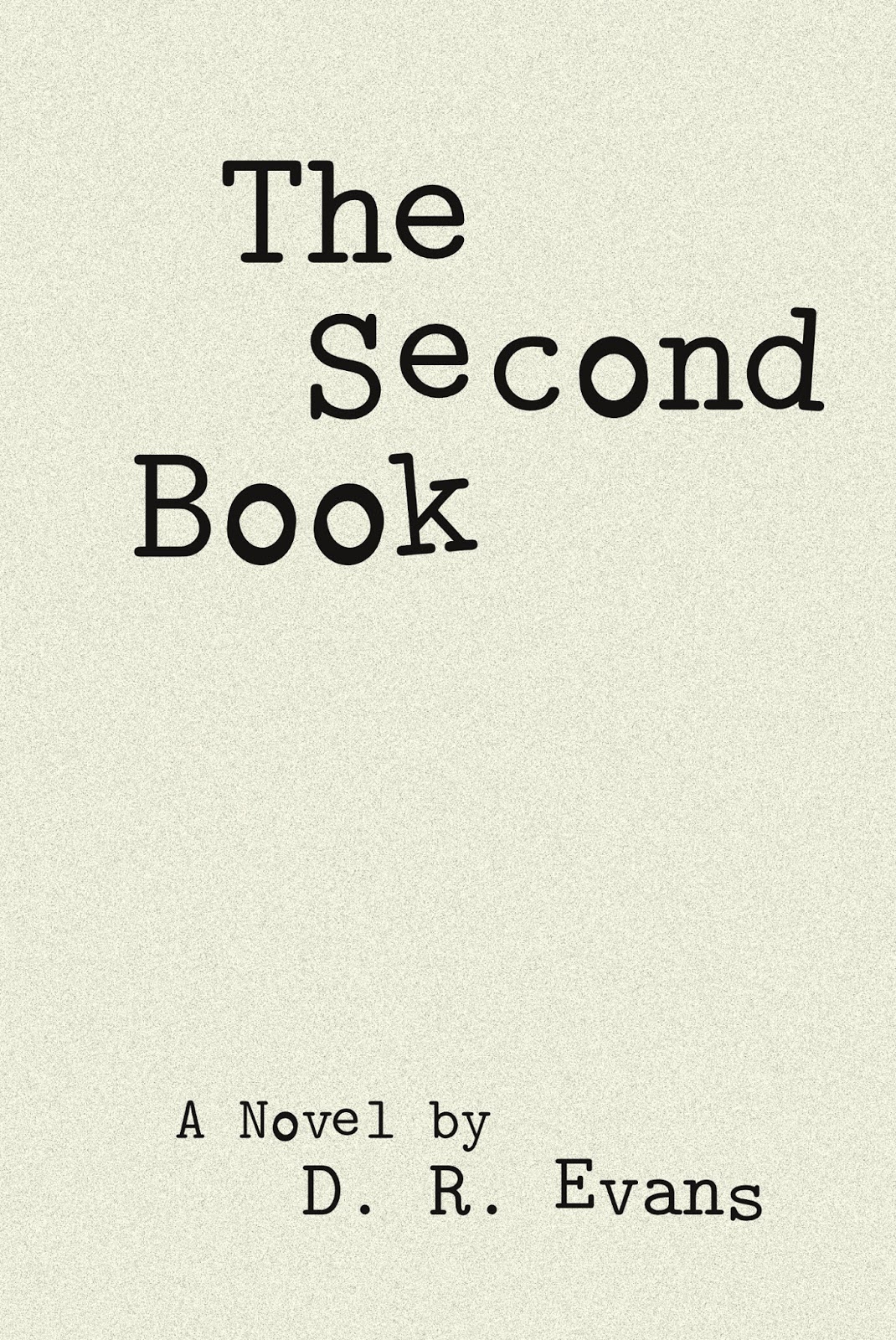
"The Second Book" available in electronic formats


My most recent literary novel, The Second Book, is now available in several electronic formats:
Don't ask me why Apple charges more than the price I set. They seem to do this with all my books.

Most of the above links also allow you to read a sample, typically 10 to 15 percent of the book.

You can, of course, still purchase a print version of the book.

2016-02-16

"Nowhere to Run" available in electronic formats


My Christian action novel (for want of a better description), Nowhere to Run, is now available in several electronic formats:
Don't ask me why Apple charges more than the price I set. They seem to do this with all my books.

Most of the above links also allow you to read a sample, typically 10 to 15 percent of the book.

This book was inspired by events in the life of a fellow member of the Rotary Club of Boulder (Colorado) and his wife.

You can, of course, still purchase a print version of the book.

2015-09-23

Unauthorised EPUB versions of books on iTunes and B&N

I have discovered that the company that produces my hardcopy books for Engine House Books (lulu.com) has also, unbeknownst to me, been auto-converting the PDF files into EPUB and making the results available for sale on iTunes and at the Barnes and Noble NOOK store.

I never explicitly authorised them to do this, and, as far as I know, my permission was never even sought. Presumably, there's some legalese in the Lulu Terms of Service that gave them the right to perform these (what I regard as underhanded) activities without explicit consent from me.

 I have now explicitly removed the EPUB files from Lulu, and will check periodically to make sure that they don't return. As best I understand it, my having removed the files from Lulu will also result in their removal from iTunes and B&N in short order.

In case you wonder why I would not want the books available, there are several issues (apart from the obvious one of their doing this without seeking explicit permission):

  1. As the EPUB files were auto-generated, they contained no manual corrections or interventions to improve the look on a reader.
  2. The PDF files contain some material that either will not autoconvert sensibly to EPUB (which is really a form of HTML) or material that should not sensibly be present in an electronic version of the book.
  3. The fonts and general style that Lulu chose were, frankly, embarrassingly bad.
  4. The prices set by Lulu were considerably higher than those I normally set for electronic books.
I am (admittedly slowly) working my way through my fiction books and making them available in electronic formats, using manual conversion from the original text files, as opposed to automated conversion from PDF files.

Category Five is the latest to be converted, and should be appearing shortly in the iTunes and B&N Nook stores.


2015-08-06

"Category Five"

My techno-thriller, Category Five, has been converted to Kindle format, and is now available from Amazon. The price is $3.50.

It takes a fair amount of work to convert a book to the various electronic formats (I should write a blog post about that sometime). I will make the book available in other formats and at other online stores as soon as I can.